Your collections
Tags
Tag your items, then filter a collection by one or more tags. Rename or delete a tag everywhere at once.
Tags are short labels you can put on as many items as you like, such as Graded, Gift or For trade. They make it quick to filter a collection down to just the items you want.
Tag an item
On an item's Tags page (while adding it, or from Edit Tags), type a tag into Enter a new tag. To add several at once, separate them with commas. Tags you've used before in the collection are there to tap.
Filter by tag
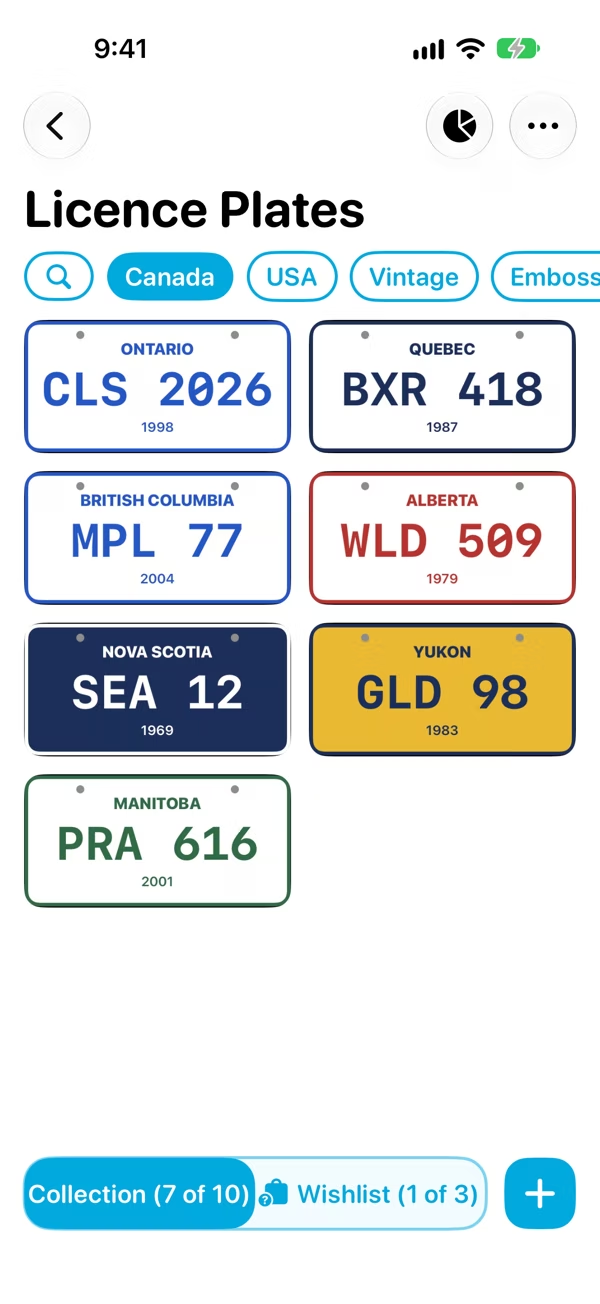
A collection's most used tags sit along the top, next to the search button. Tap a tag to show only the items that have it. Tap another to narrow it down further: Classifier shows the items that have all the tags you've picked.
The count at the bottom shows how many items match, such as 5 of 25. Tap a tag again to turn it off.
See every tag
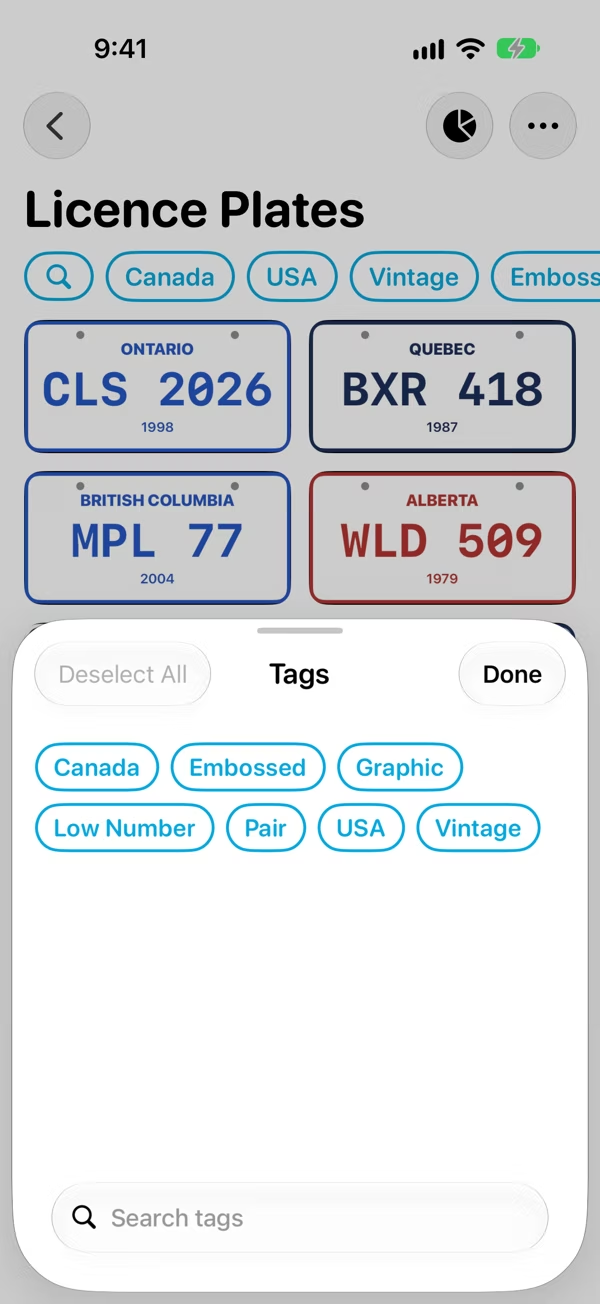
When a collection has more than five tags, tap See All at the end of the row. You'll get every tag in the collection, with a search box, and can pick tags to filter by from there. Deselect All clears them.
Rename or delete a tag
Touch and hold a tag (in the row or in the full list) and choose:
- Edit Tag to rename it on every item at once
- Delete Tag to take it off every item. This doesn't delete the items themselves.