Settings & sync
iCloud sync and help
How your collections sync between devices, what to check when they don't, and how to get in touch.
How sync works
Classifier saves your collections in your own iCloud account and keeps them in sync on every iPhone, iPad and Mac signed in to the same Apple Account. There's no separate account to make, and nothing to switch on.
Changes show up on your other devices after a short wait. A big collection with lots of photos takes longer the first time, especially on a new device.
If your collections aren't syncing
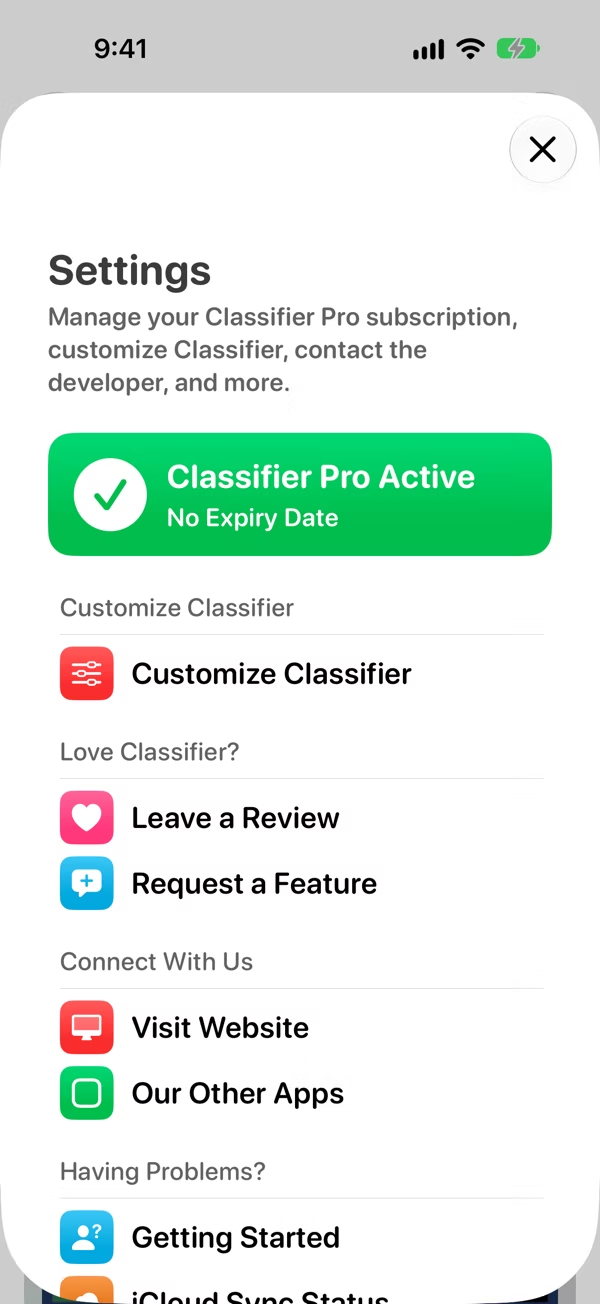
Open Settings and tap iCloud Sync Status. It checks the things sync needs:
- Network Status: whether the device is online.
- iCloud Account Status: whether you're signed in to iCloud. If not, sign in from your device's Settings app.
- Setup State, Import State and Export State: what sync is doing right now, and when it last finished or failed.
A few more things to check:
- Every device is signed in to the same Apple Account.
- iCloud has space left. Photos count towards your iCloud storage.
- Give it a few minutes with Classifier open, on Wi-Fi.
Get help
Still stuck, or found something that isn't right? In Settings, under Having Problems?, tap Report a Bug and tell me what happened. You can also email classifier@appdeco.ca.
Got an idea for Classifier? Tap Request a Feature under Love Classifier? in Settings.